 polyclaw
Creating Skills
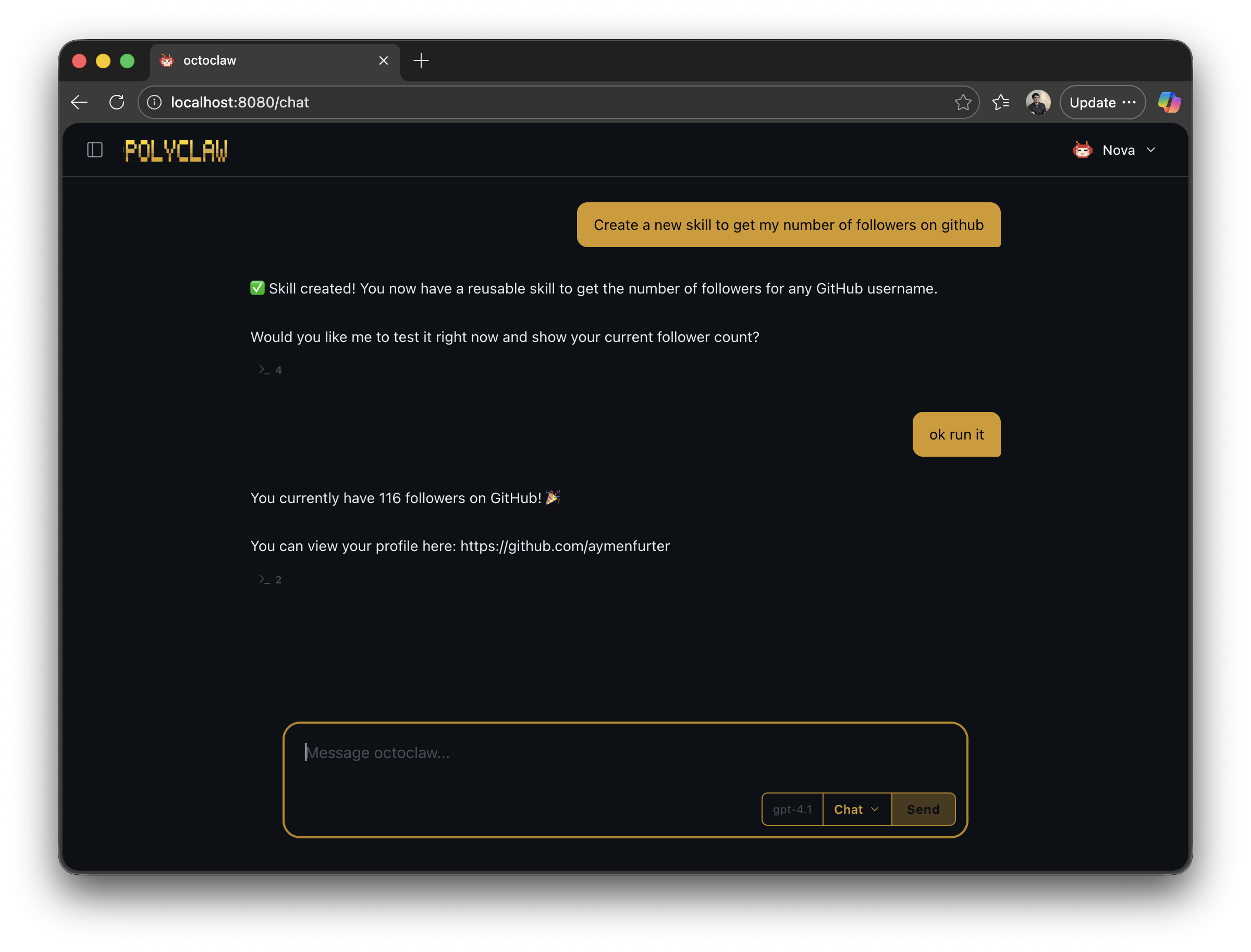
The easiest way to create a skill is to ask the agent to build one for you. Polyclaw’s system prompt instructs the agent to proactively create skills whenever it solves a non-trivial problem or discovers a reusable pattern – but you can also ask directly.
Creating Skills from Chat
Tell the agent what you want and ask it to save the workflow as a skill:
“Write a skill that searches Hacker News for top stories about a given topic and summarizes them.”
“Remember how to deploy my app to Azure – save it as a skill.”
“Create a skill called code-review that reviews a PR diff for security issues, performance, and style.”
The agent creates a SKILL.md file in ~/.polyclaw/skills/<skill-name>/ with the appropriate frontmatter and step-by-step instructions. The skill is available immediately for future conversations.
Using Skills
Once a skill exists, invoke it naturally in conversation – the agent matches your request to the skill’s verb and description:
“search latest developments in quantum computing”
“summarize https://example.com/long-article"
“give me my daily briefing”
You can also reference skills explicitly:
“use the code-review skill on this PR”
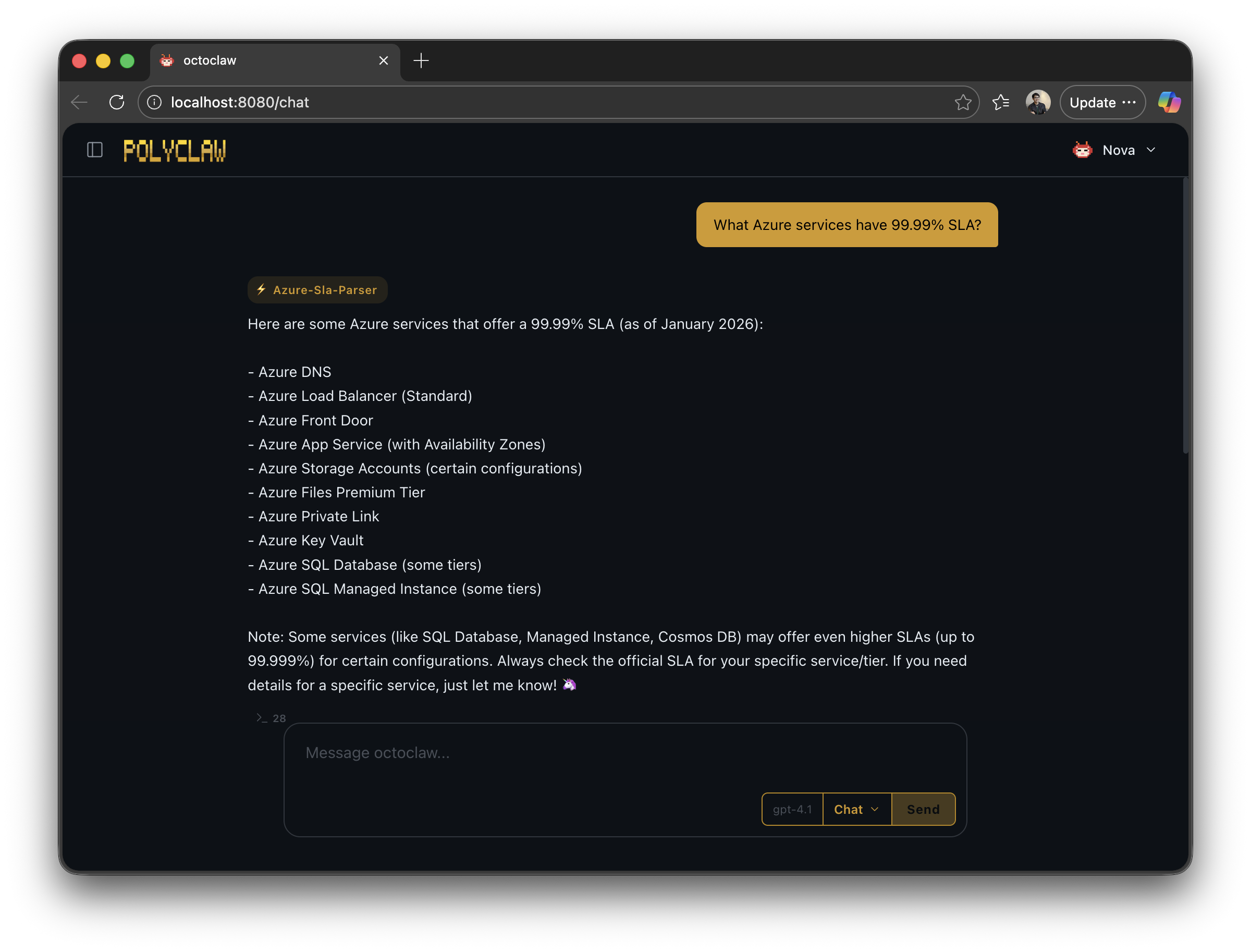
The agent reads the skill’s instructions and follows them step-by-step, using whatever tools (MCP servers, terminal, etc.) the skill references.
Managing Skills
Web Dashboard
The Skills page under Customization shows all installed skills with their source, description, and verb. You can browse installed skills, view their content, and remove skills you no longer need.
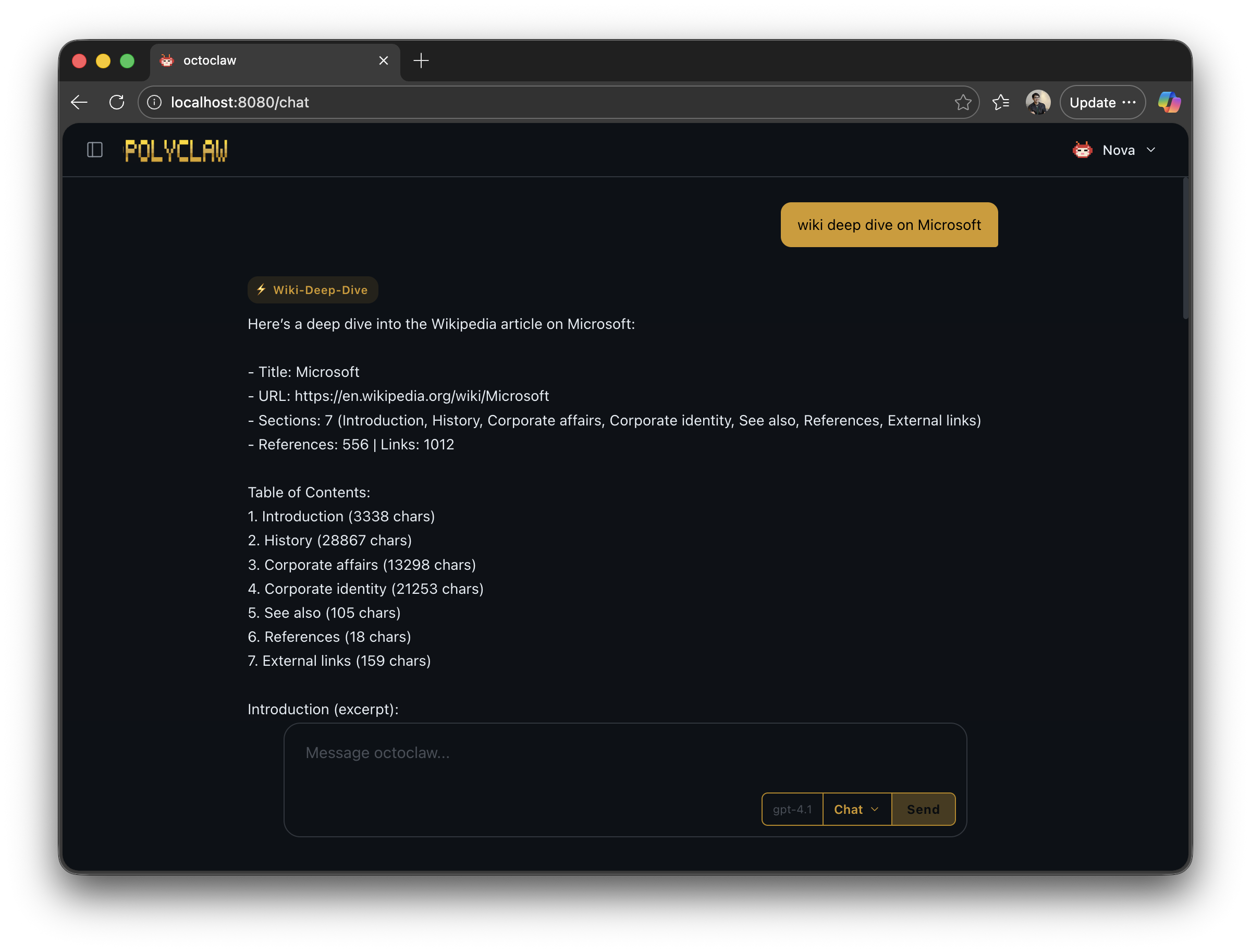
Plugin-provided skills like Wikipedia Deep Dive also appear here and work the same way in chat:
Slash Commands
/skills              # List all installed skills
/addskill <name>     # Install a skill from the marketplace catalog
/removeskill <name>  # Remove a user-installed skill
Running /addskill with no argument lists all available (uninstalled) skills from the remote catalogs. Running /removeskill with no argument lists installed skills you can remove.
API
| Method | Endpoint | Description |
|---|---|---|
| GET | /api/skills | List all installed skills |
| GET | /api/skills/installed | List installed skills (flat array) |
| GET | /api/skills/catalog | Fetch remote skill catalog from GitHub sources |
| GET | /api/skills/marketplace | Full marketplace view (recommended, popular, installed, all) |
| POST | /api/skills/install | Install a skill by name or url |
| DELETE | /api/skills/{skill_id} | Remove an installed skill |
| POST | /api/skills/contribute | Get a GitHub URL to contribute a skill back to the community |
Skill Format Reference
Every skill is a directory containing a SKILL.md file:
my-skill/
  SKILL.md
The file uses YAML frontmatter followed by Markdown instructions:
---
name: my-skill
description: 'One-line description of when to use this skill.'
metadata:
  verb: myverb
---
| Field | Required | Description |
|---|---|---|
name | Yes | Skill identifier |
description | Yes | Short description shown in listings and used for matching |
metadata.verb | Yes | Trigger verb – a single imperative word (e.g., search, summarize, deploy, review) |
The body contains the instructions the agent follows when the skill is invoked. These are natural language directions that can reference any tools the agent has available – MCP servers, terminal commands, file operations, etc.
Example: Web Search Skill
---
name: web-search
description: 'Search the web for information using Playwright browser automation.'
metadata:
  verb: search
---

# Web Search Skill

Use the Playwright MCP browser tools to search the web.

## Steps

1. Navigate to `https://www.google.com/search?q=<URL-encoded query>`
2. Wait for results to load
3. Extract the top 5 result titles, URLs, and snippets
4. If the user needs more detail, click into the most relevant result
5. Summarize findings concisely with source links
Skill Sources
Skills are tracked by origin. The system determines origin automatically:
| Source | Location | How it gets there |
|---|---|---|
| Built-in | skills/ (project root) | Shipped with Polyclaw |
| Agent-created | ~/.polyclaw/skills/ | Created by the agent during conversations |
| Plugin | ~/.polyclaw/skills/ | Installed when a plugin is enabled |
| Marketplace | ~/.polyclaw/skills/ | Downloaded from remote catalogs via /addskill or the API |
Marketplace-installed skills include a .origin metadata file that tracks the source repository. Agent-created and plugin skills are classified automatically based on directory name matching.